
The app that is revolutionizing school safety
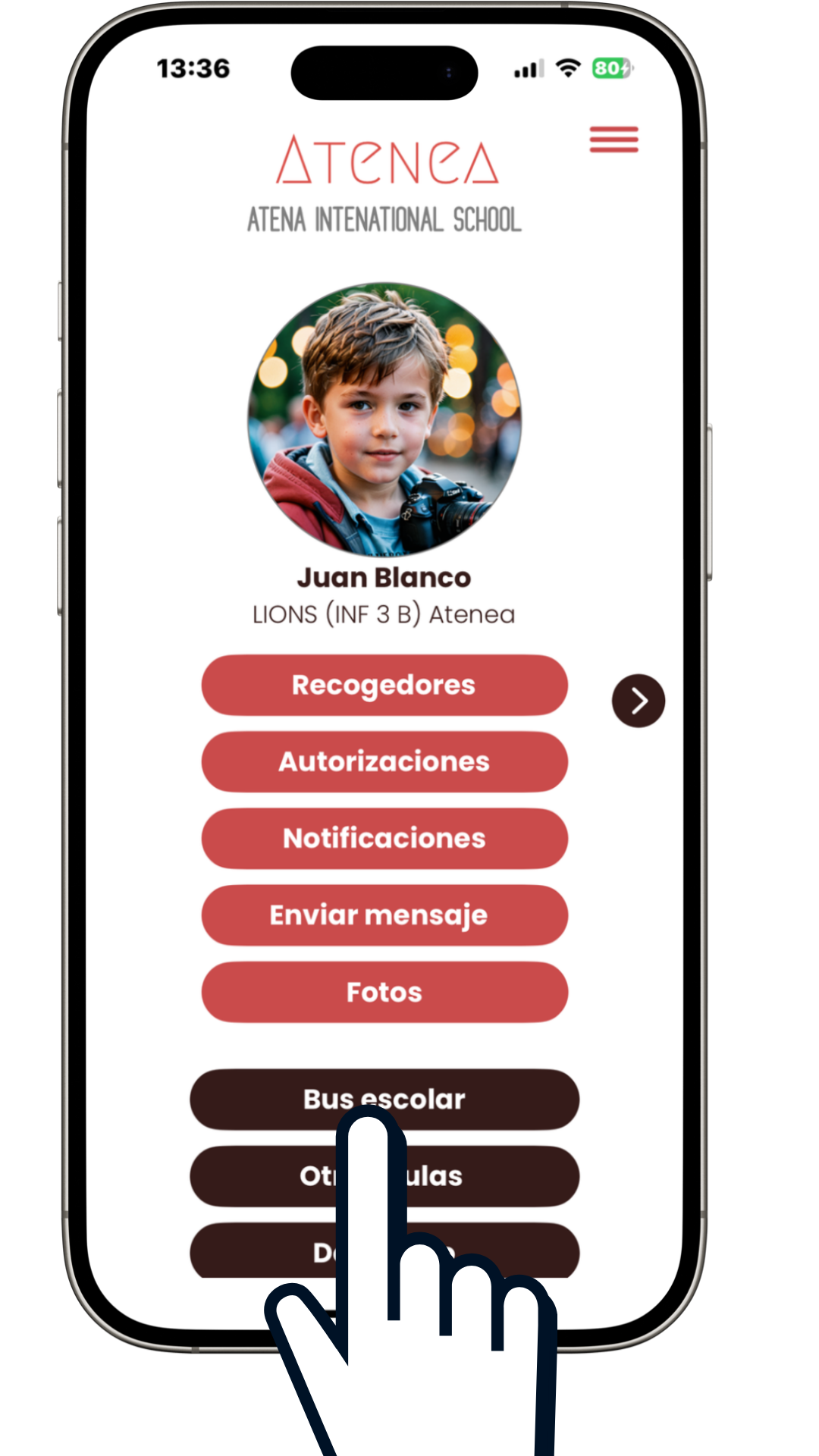
In Qualla Family, you will find the "School Bus" button. Click to start the enrollment process for the school transportation service provided by your school.
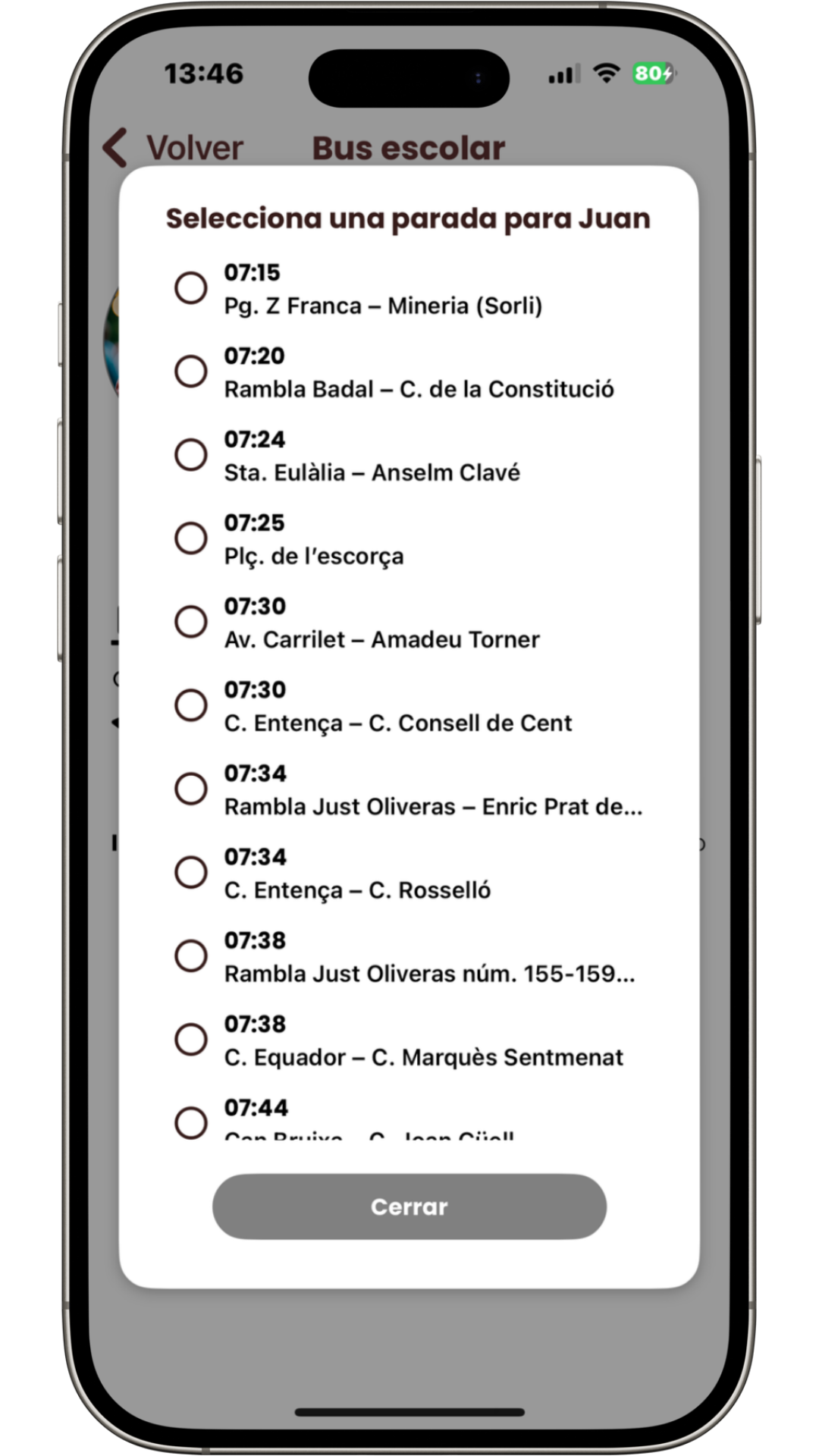
Click on the day you wish to enroll your child for the morning route and select the stop that works best for them to get on the bus to school.
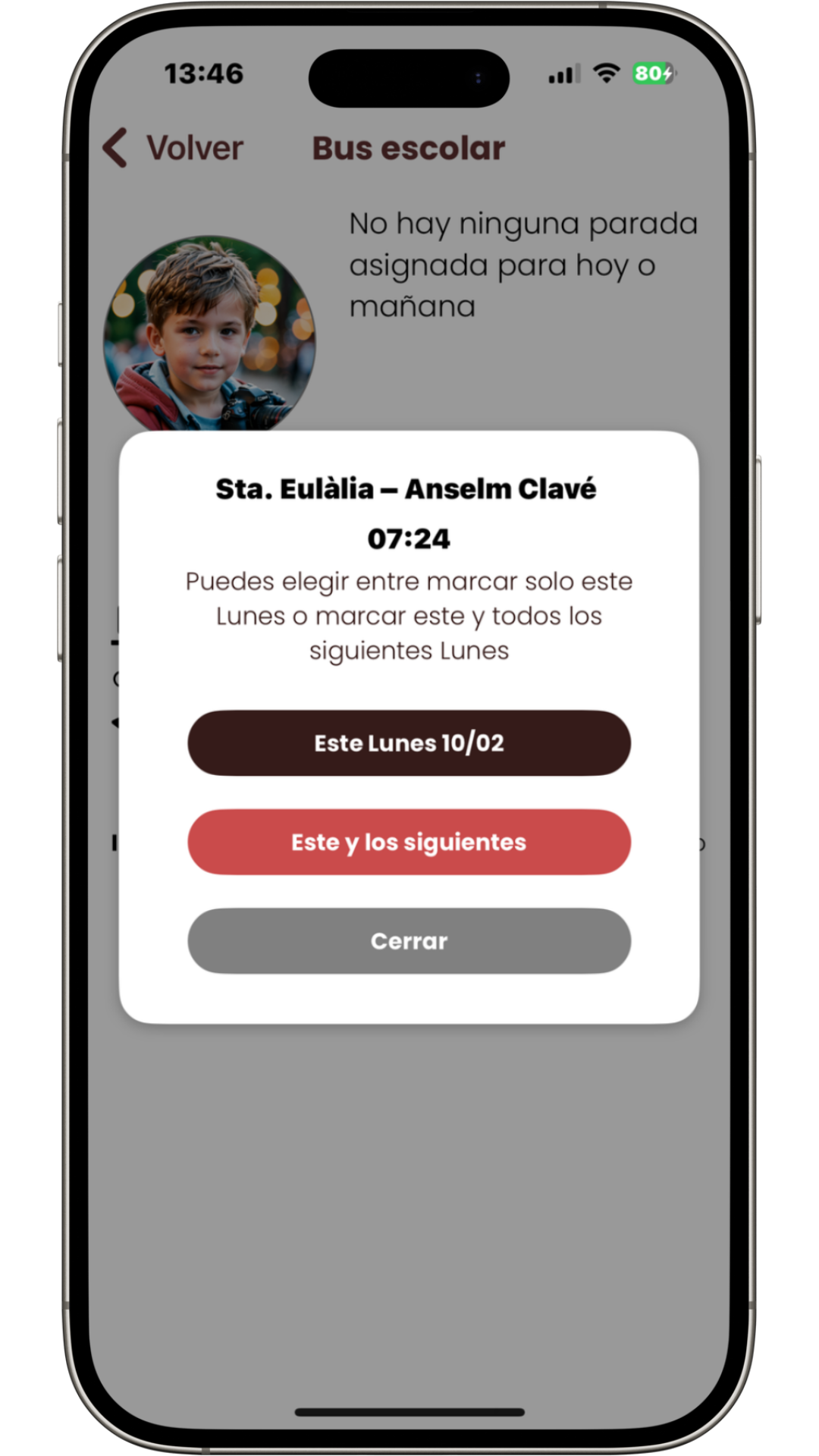
Indicate whether the enrollment is just for that day or for every week.
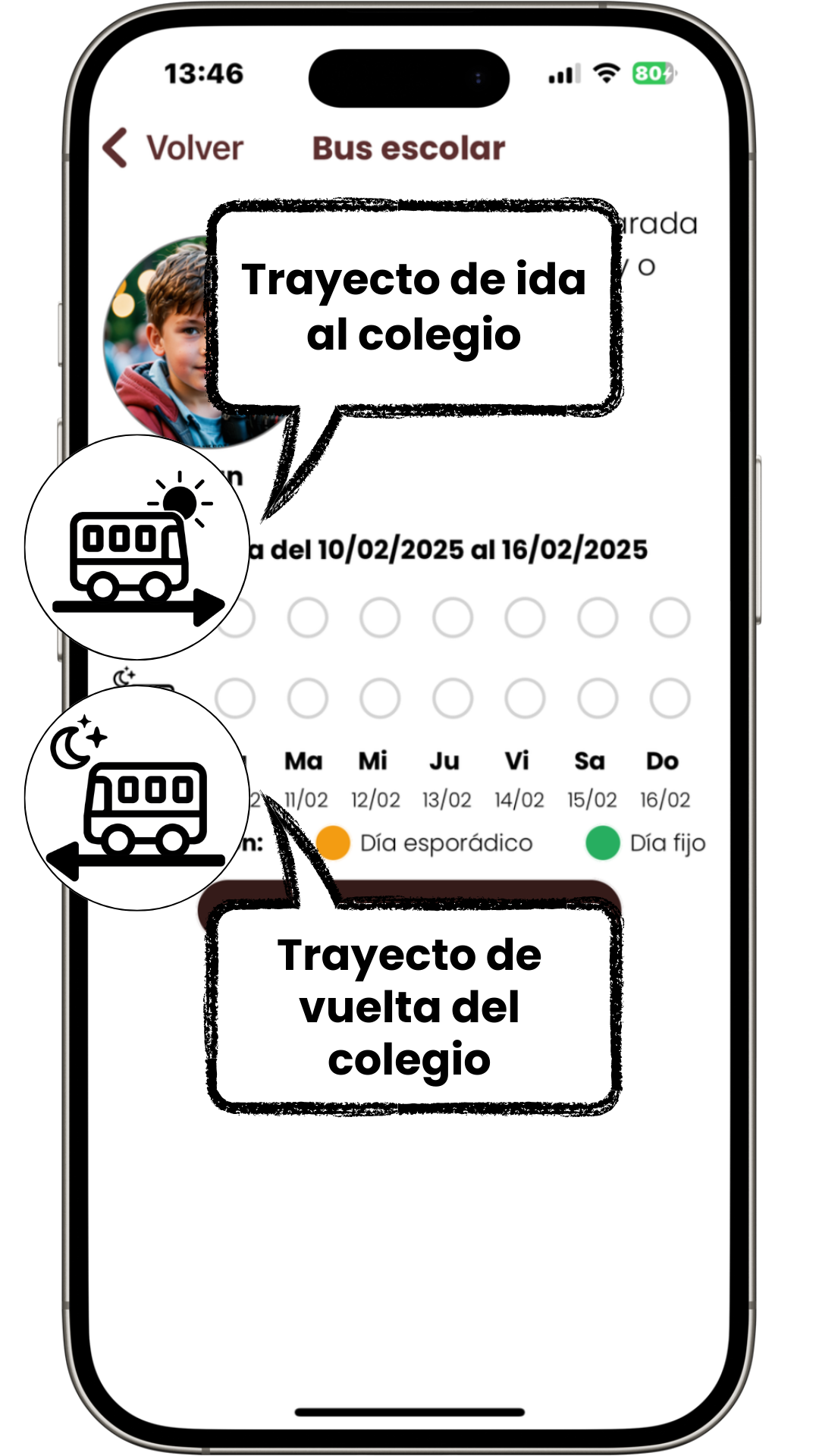
You will see two lines:
Each line has a blank circle for each day of the week. Above the blank circles, you can see the current week, which is always set by default to the ongoing week.
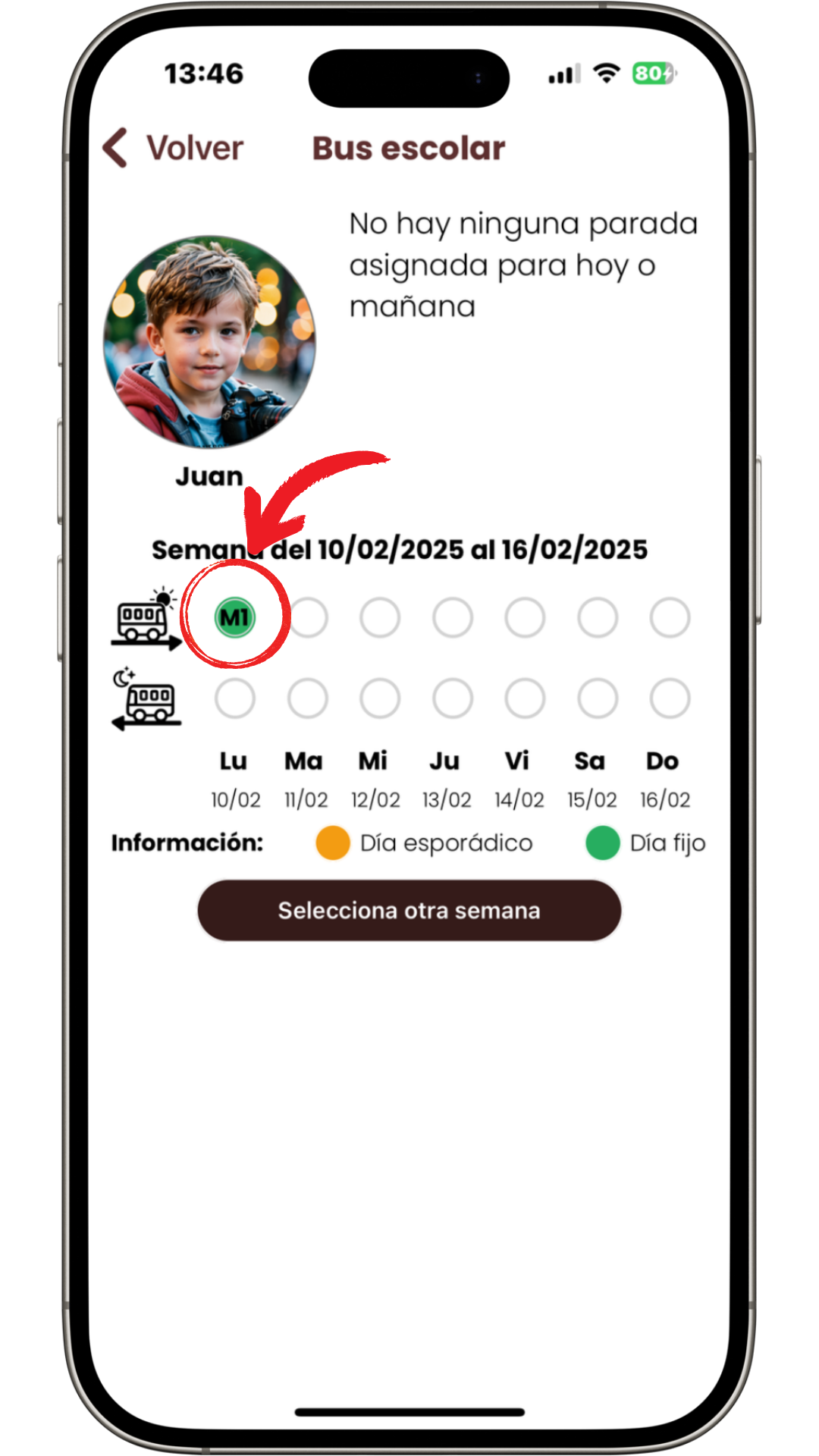
Now the morning route is set. Repeat the same process for the return trip and for all the days your child will be using school transportation.
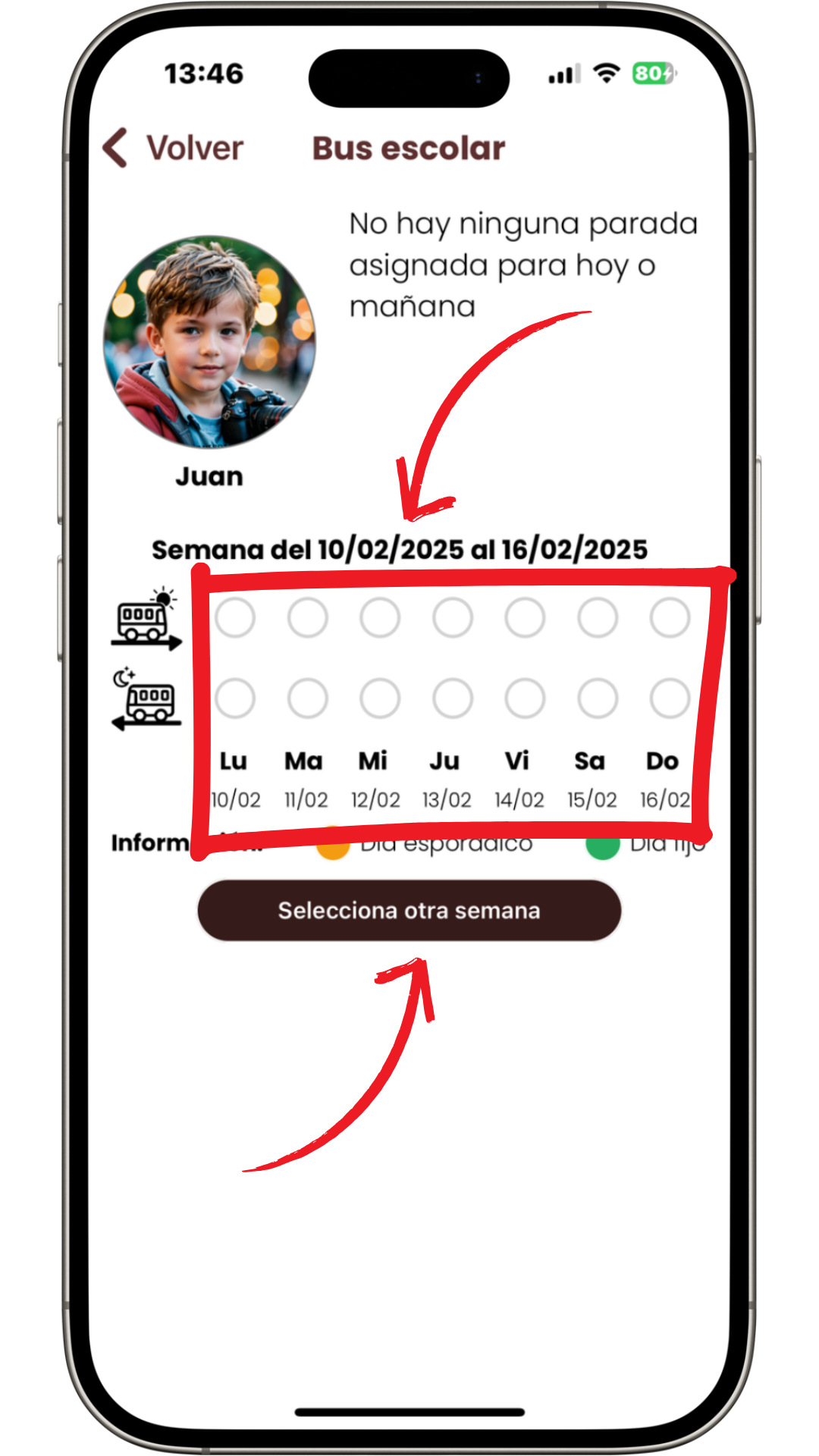
By default, you will always see the current week. If you want to enroll for a future date or make changes for a specific day, you can select a different week using the button below.
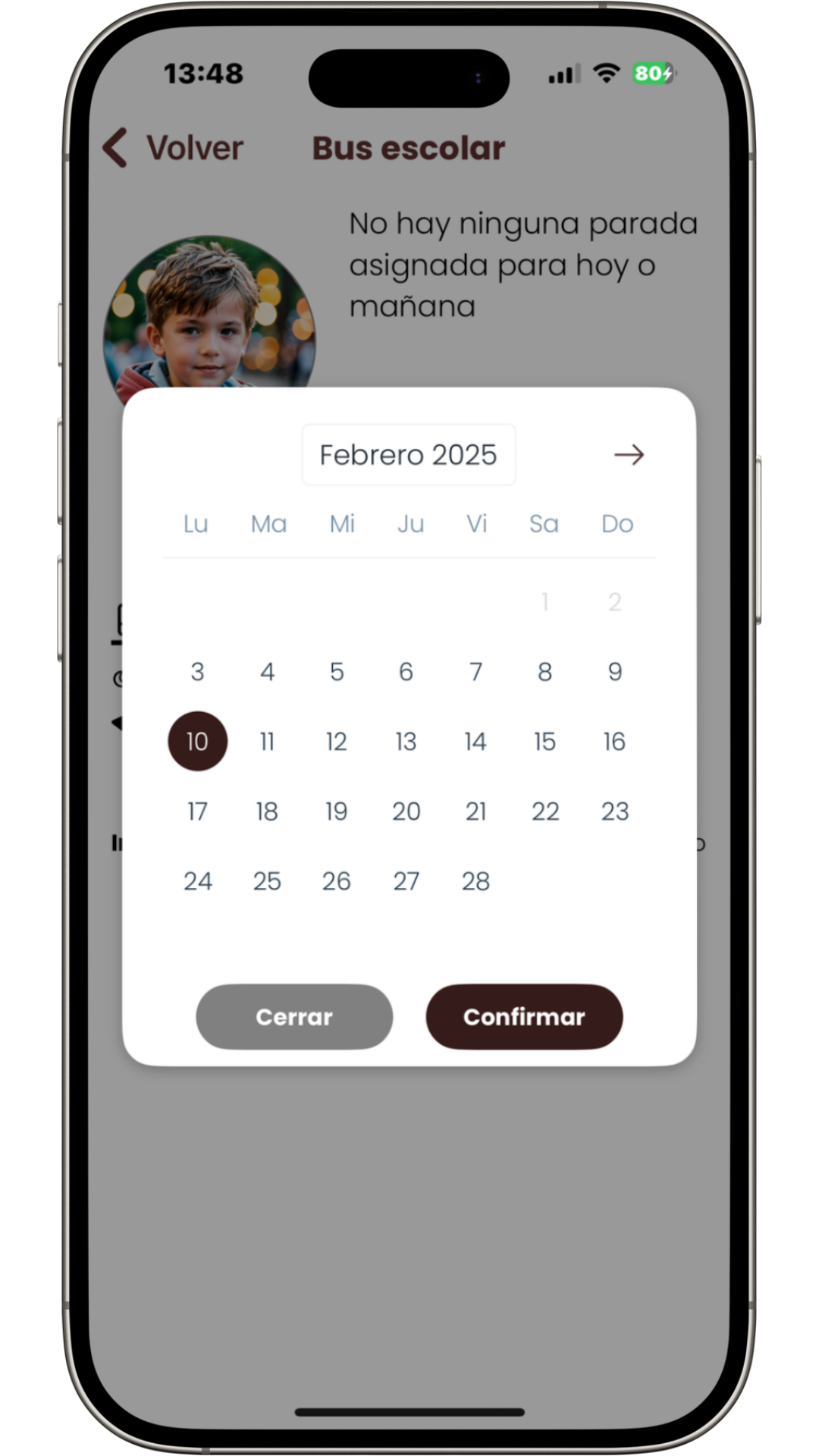
A calendar will open, allowing you to navigate to the desired month and select the week you want to view. Click on the desired day of the week and then confirm.
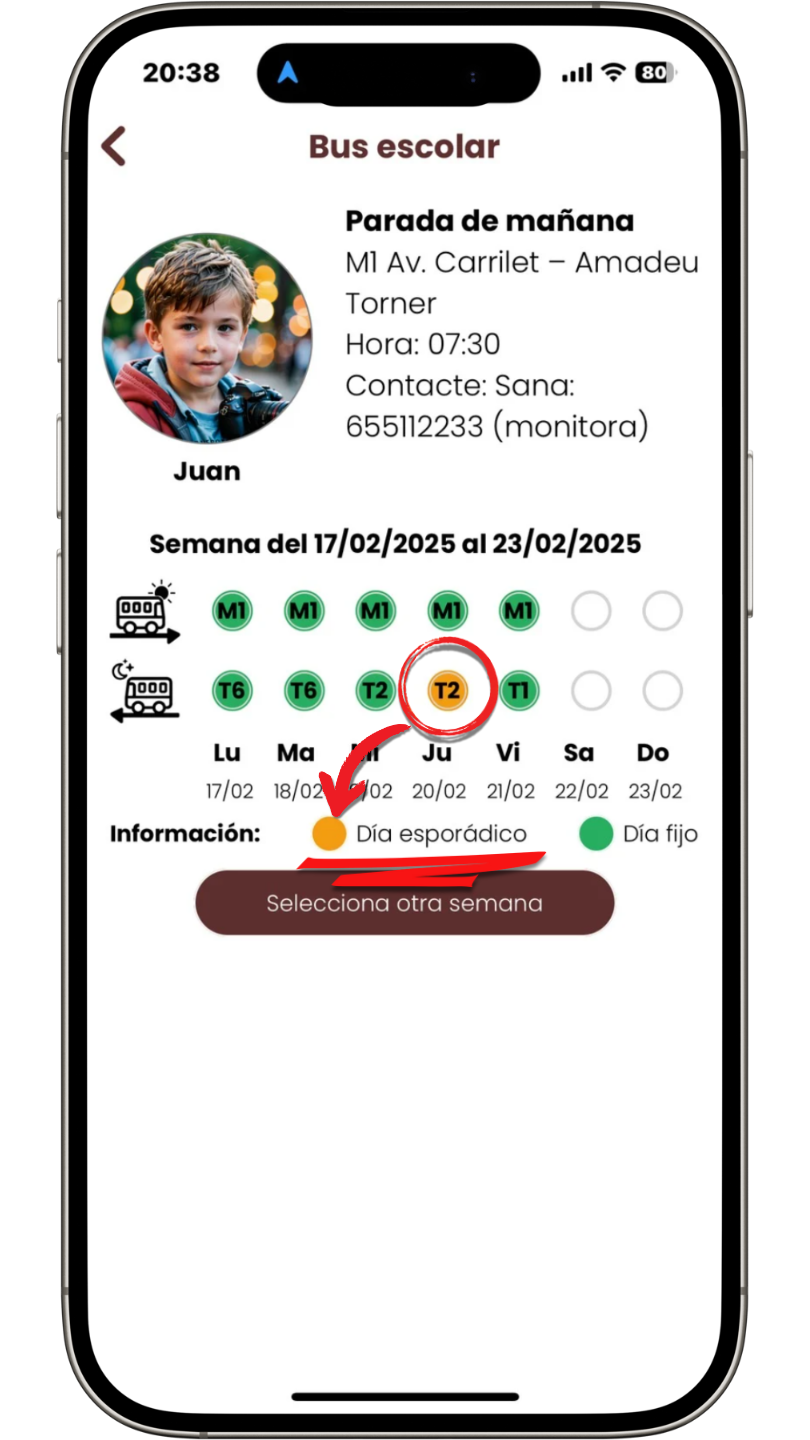
You can change stops if your child needs to get on or off at a different stop occasionally, without affecting the rest of the days. The following week, the usual stop will still appear. Simply:
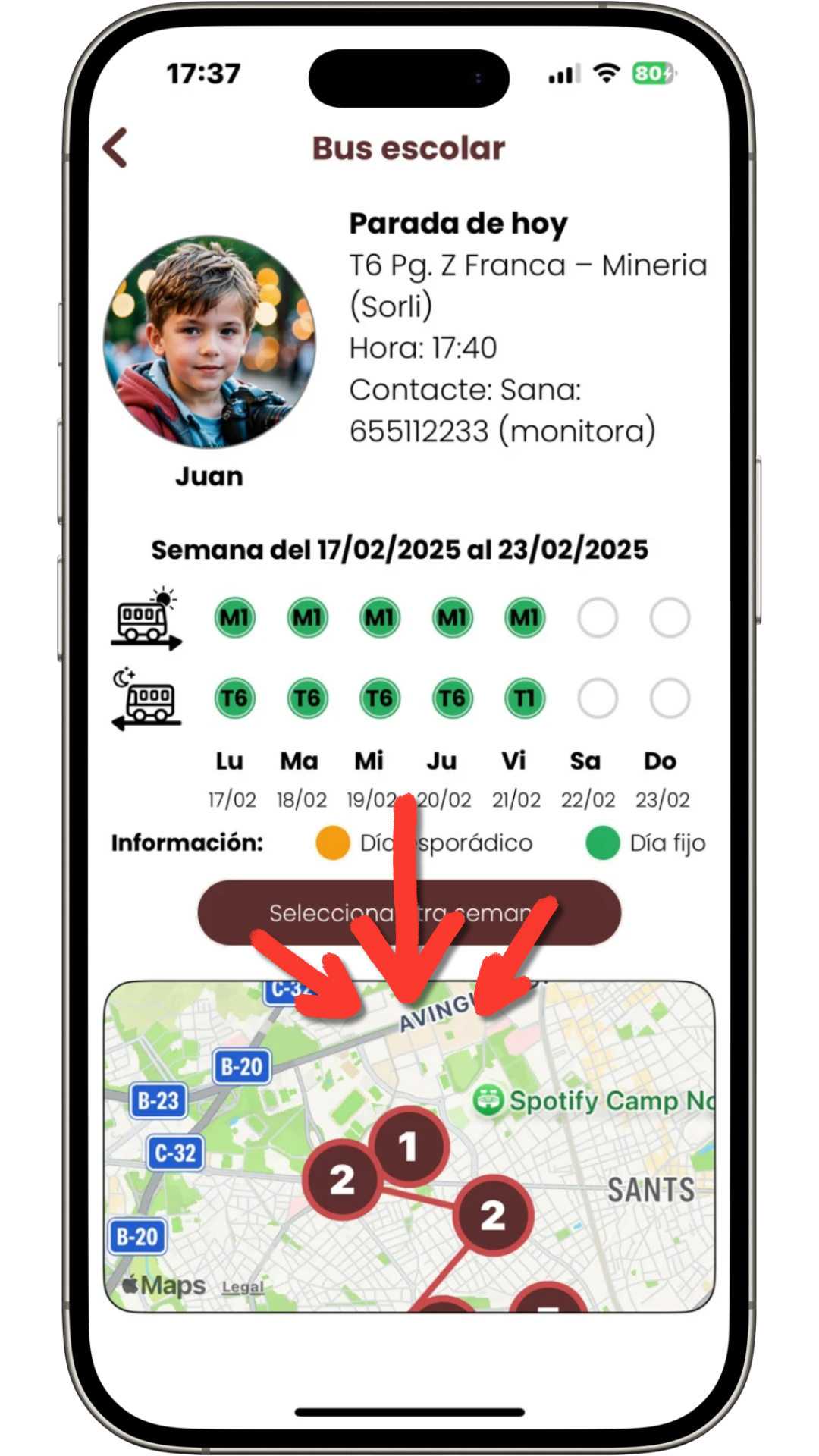
When the bus is ready to leave school for the return journey, the bus monitor will activate the route, and the map will be available in your Qualla Family app. You will be able to see the stops on the map and track the bus's progress.
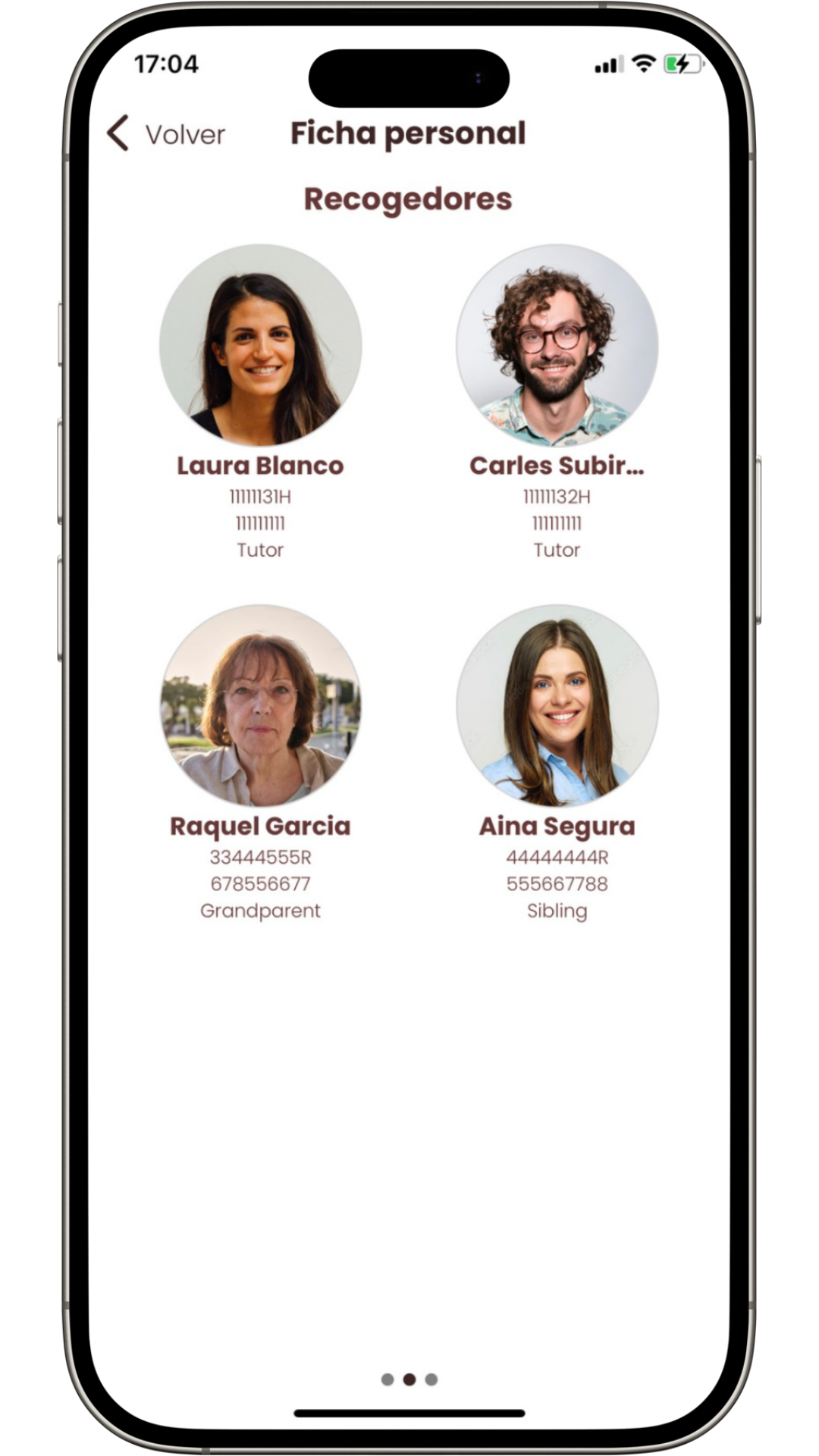
The bus monitor can always see which people are authorized to pick up your child at the stop. To add authorized persons, simply go to the main screen and select the "Pickups" option. There, you can add trusted persons, assign different days to each, and even specify different authorized persons for each of your children.
Make sure to upload a clear face-only photo of each authorized person to ensure easy identification by the monitors.
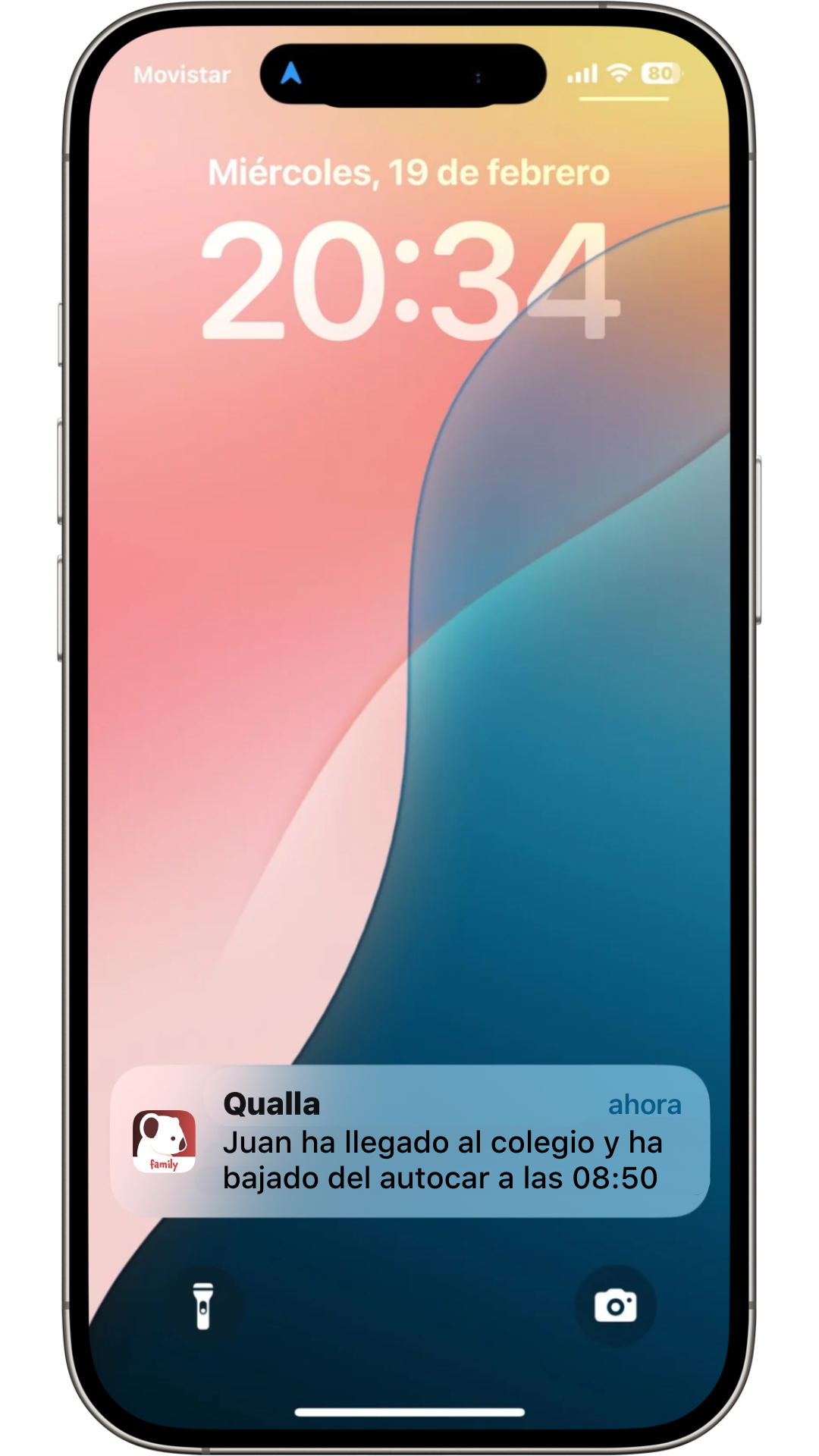
The peace of mind of knowing your child has boarded the bus at their stop and has arrived safely at school—without errors or confusion.
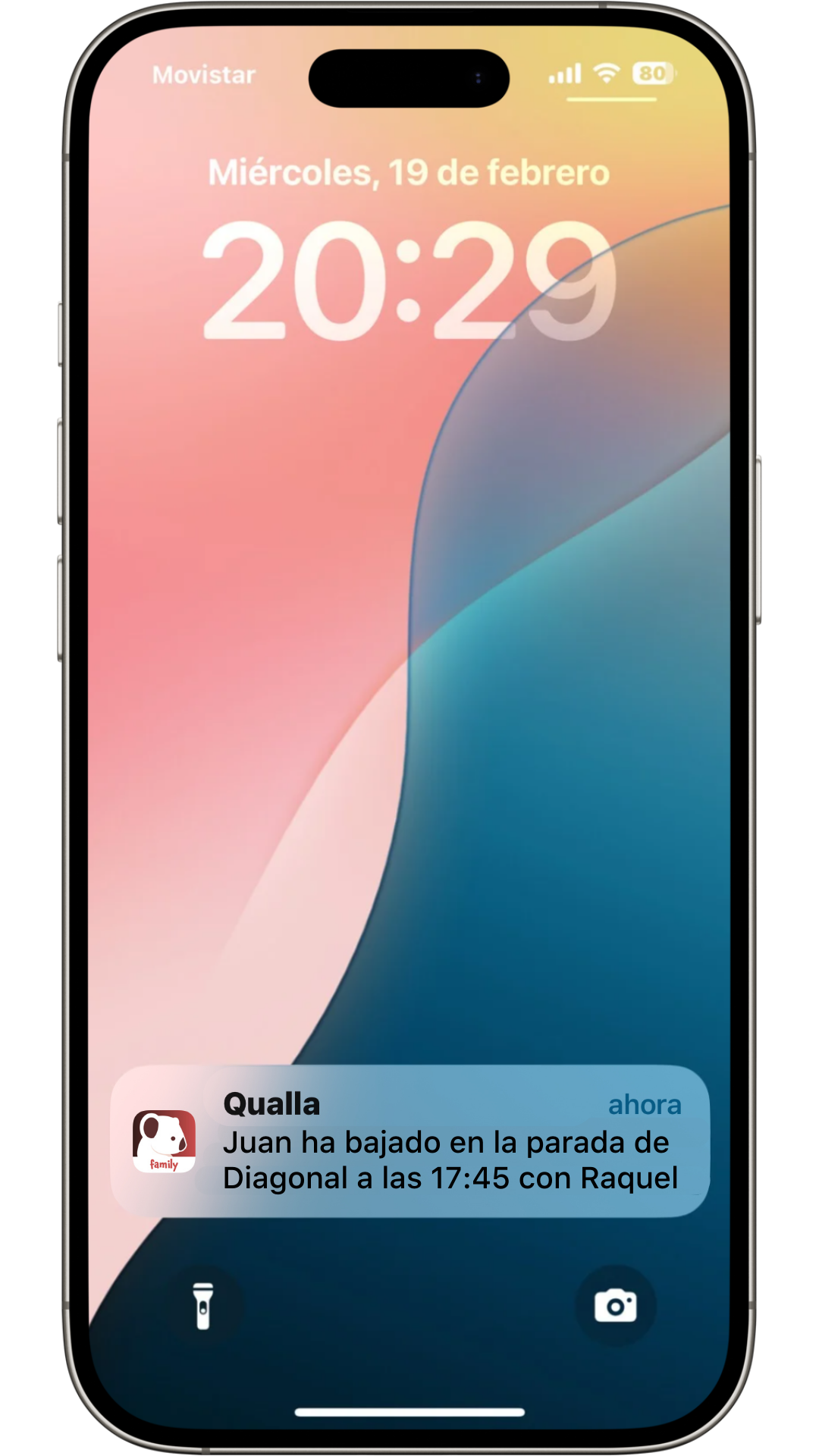
You will be notified when the bus leaves school. Rest assured that only an authorized person can pick up your child at the stop. You will also receive a push notification confirming that your child has been picked up, including the name of the person and the time.
Inform the school of any changes quickly and easily, with the confidence that the information will reach the right place. No phone calls, emails, or written notes needed.
Complete confidence that everything is under control.
Efficient school safety procedures for your child's school.
Qualla Kids also helps you and the school with other processes to ensure your child's safety and make life easier:
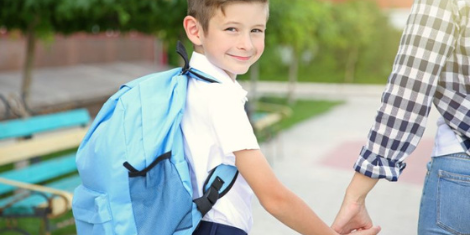
Easily authorize trusted individuals to pick up your children from school at any time. Receive an automatic notification informing you of the exact time they left and with whom.
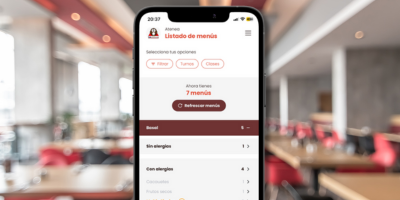
Enroll your child in the school cafeteria with a single click—no emails or phone calls needed. Choose whether the enrollment is for one day or weekly. Easily check which days your child has stayed for lunch each month.

Automatic pixelation of student faces in photos when they have not granted image rights to the school.
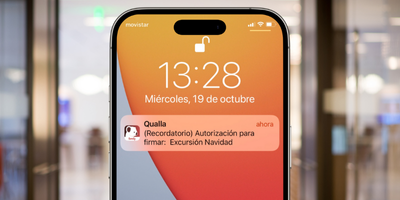
Maintain simple and quick communication with the school. Sign authorizations directly on your phone, send messages to your child's teacher, or receive the daily agenda for kindergarten.